Instant WhatsApp Follow-Ups After Every Business Call
Automatically send Meta-approved WhatsApp templates, greeting images, videos, and PDF brochures whenever incoming or outgoing calls end — while keeping your phone's existing dialer completely untouched.
Four Real-World Call Rules, Configured Independently
Toggle each scenario on or off, choose your exact Meta template, and customize timing per rule.
Incoming Missed
When a call is missed or busy, apologize politely on WhatsApp with store timings or catalog links.
Incoming Answered
After speaking with an inquiry, deliver your visiting card image, showroom address, or PDF brochure automatically.
Outgoing Answered
After a connected sales call exceeds your minimum duration threshold, send thank-you or quotation details.
Outgoing Not Answered
When a customer cannot pick up your outgoing call, WhatsApp explains who called so they reply at their convenience.
Enterprise Controls Designed for Indian Showrooms & Teams
Every template, sender rule, and privacy safeguard loads dynamically from your connected WhatsApp Business account.
Media Headers & Dynamic Parameters
Send plain text templates or attach JPG/PNG product cards, MP4 videos, and PDF brochures. Bind up to 10 body parameters and dynamic URL buttons to caller name, business name, call time, mobile number, or custom text.
Smart Cooldown & Schedule Engine
Prevent message fatigue with Once Daily (24h), Once Weekly (7 days), Continuous (Every Call), or Custom Hour intervals — scoped globally or per call outcome, plus Always, Business Hours, or After-Hours rules.
Audience, Dual-SIM & Contact Privacy
Filter to All Callers, Unknown Numbers Only, or Saved Contacts Only. Pick your Business SIM, block toll-free/telemarketing prefixes, exclude family/staff numbers on-device, and sync caller STOP opt-outs.
Keep Your Existing Phone Dialer
Built on Android's official Caller ID & Call Screening role (ROLE_CALL_SCREENING) with prominent disclosures upfront. Your stock dialer never changes, call history (READ_CALL_LOG) is never read, and audio is never recorded.
Instant, Delayed, or Notify-First Modes
Dispatch immediately on call end, wait 15s–120s after hanging up, or show an interactive "Send WhatsApp / Skip" phone notification for full staff discretion.
Live Logs, Metrics & Instant Simulator
Audit every Sent, Delivered, Queued, Skipped, and Failed event in real time with exact WhatsApp message IDs, 1-tap resend, number exclusion, and a built-in Settings Test Simulator.
Inside the RetailNode Calls Android App
Clean light SaaS workspace with encrypted credential storage and real-time delivery tracking.
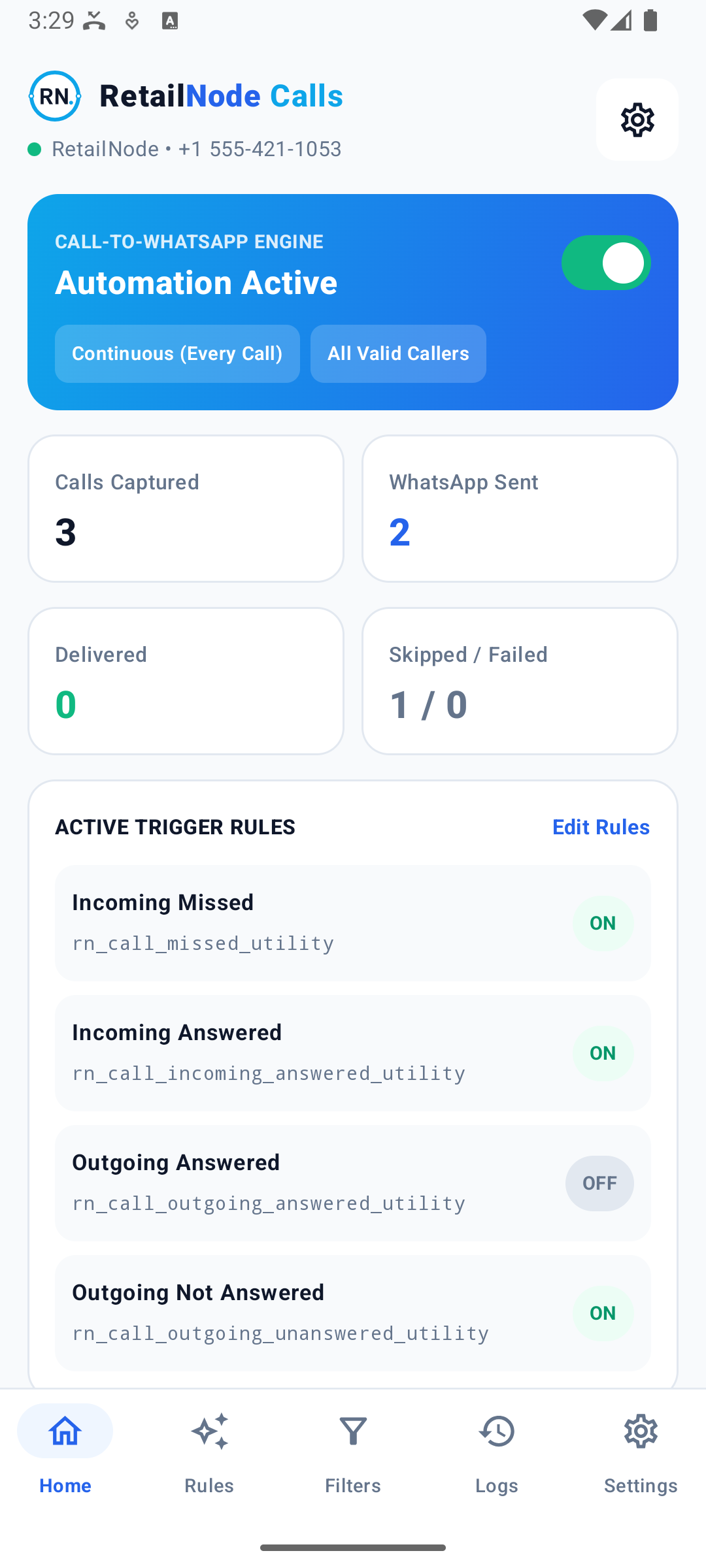
Home Overview
Master automation switch, daily metrics, and quick status across all 4 call types.
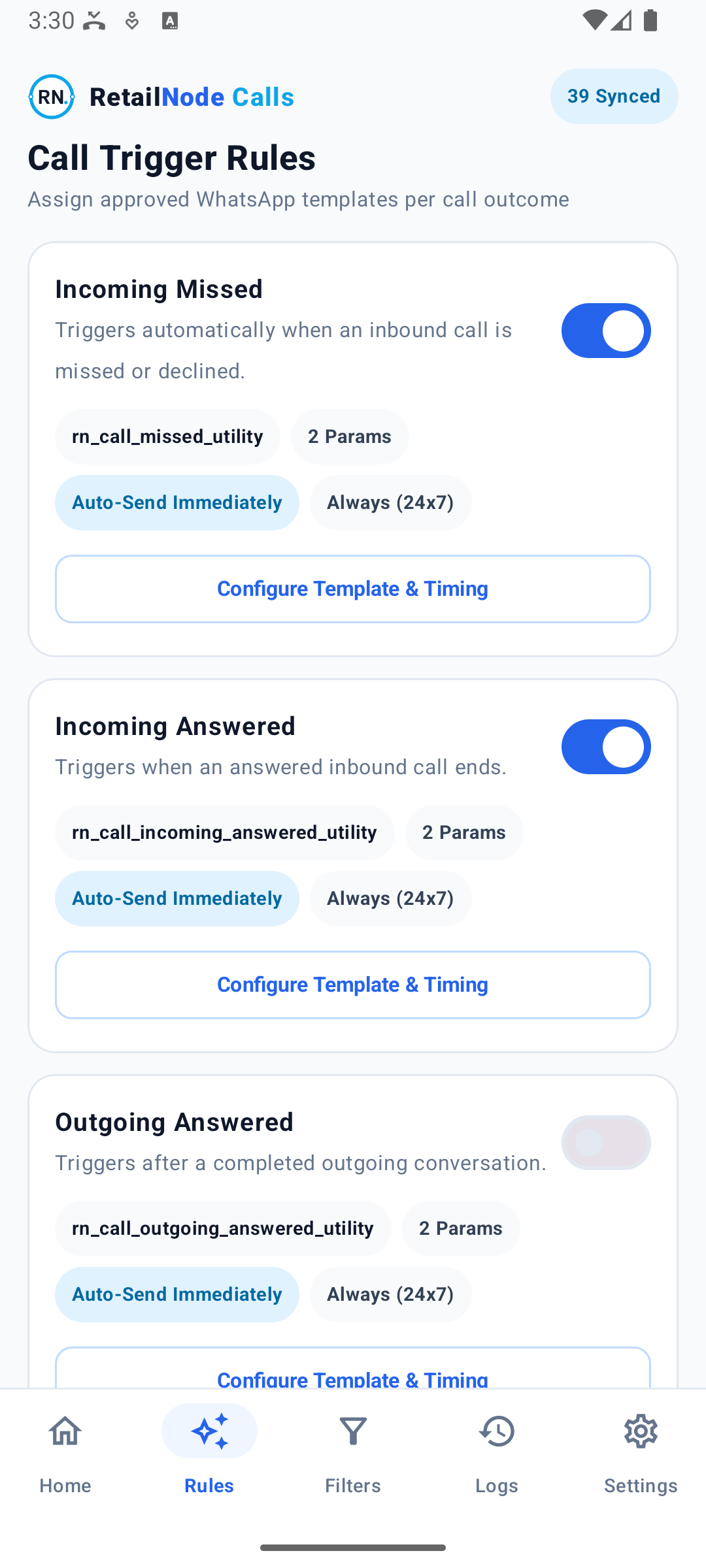
4 Call Outcome Rules
Independent templates, dispatch modes, and active hours per outcome.
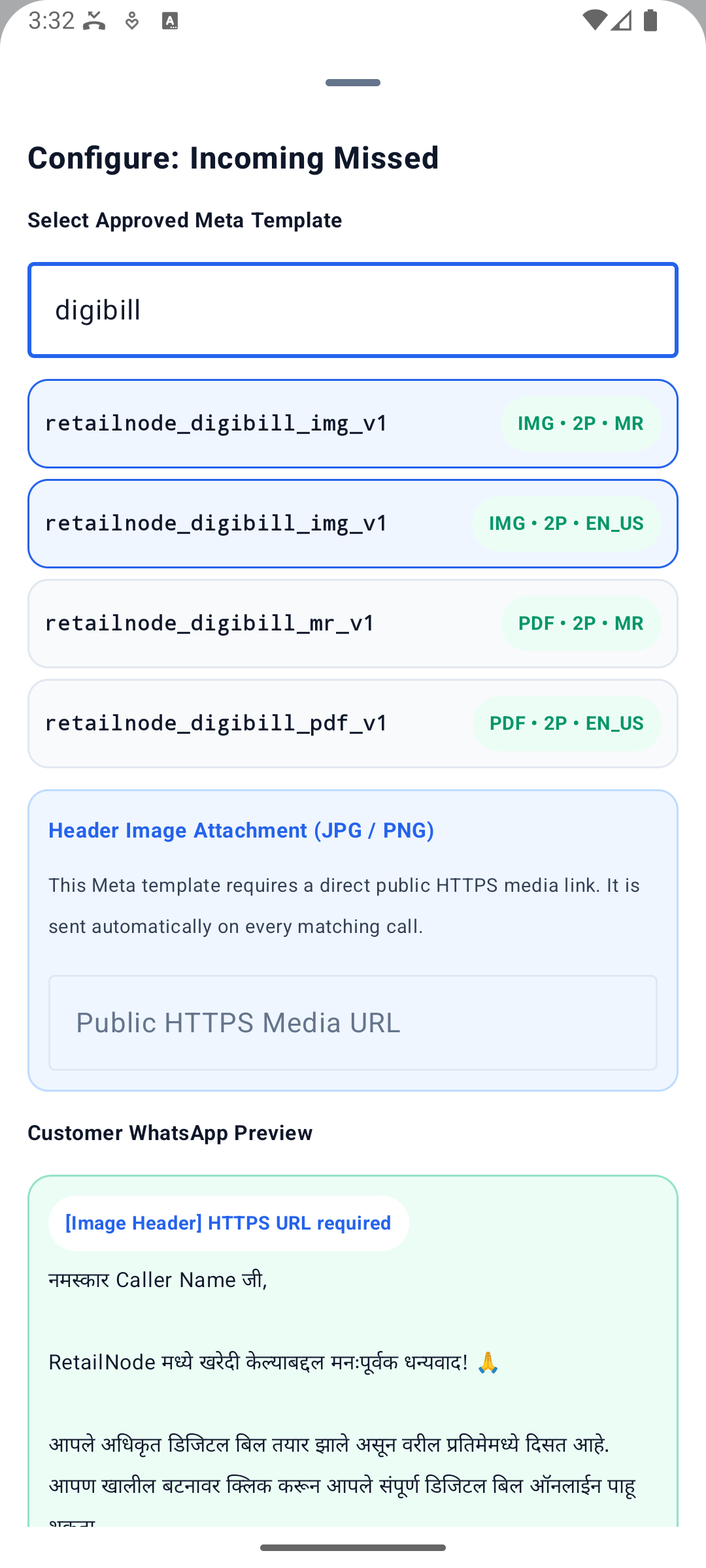
Image, Video & PDF Templates
Search synced templates, attach media URLs, and preview live messages.
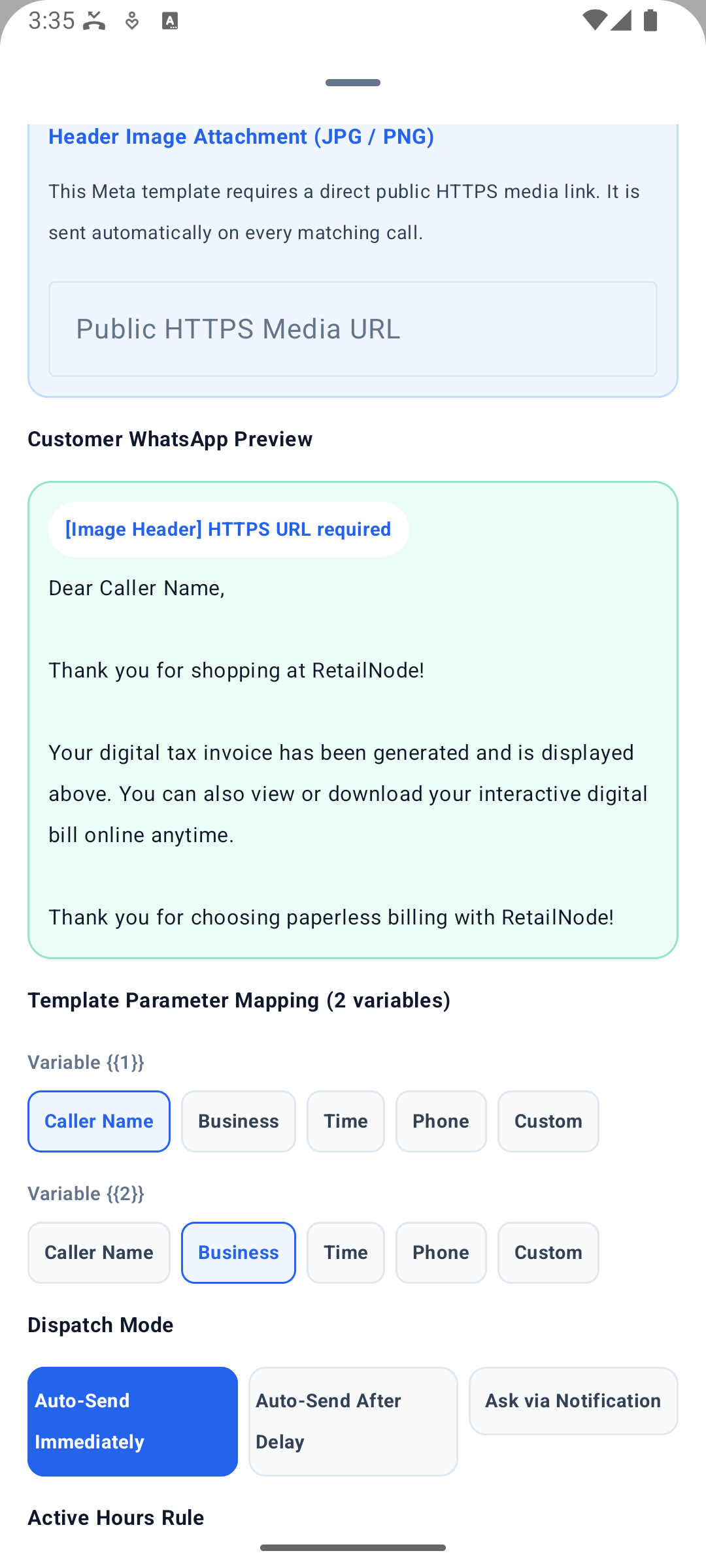
Per-Variable Mapping
Auto-fill caller name, shop name, call time, mobile number, or custom values.
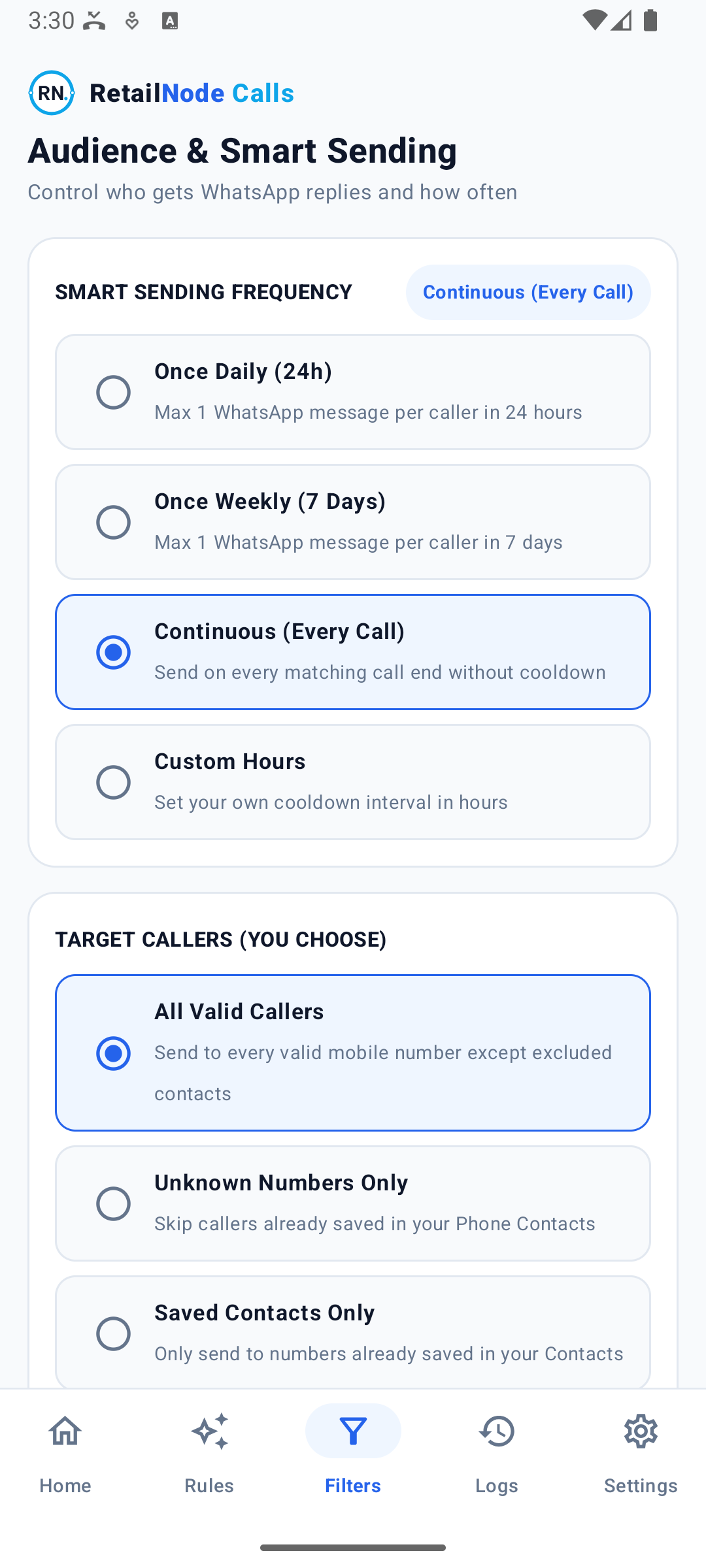
Anti-Spam & Audience Filters
Daily/weekly frequency caps, Unknown-Only mode, Dual-SIM & personal exclusions.
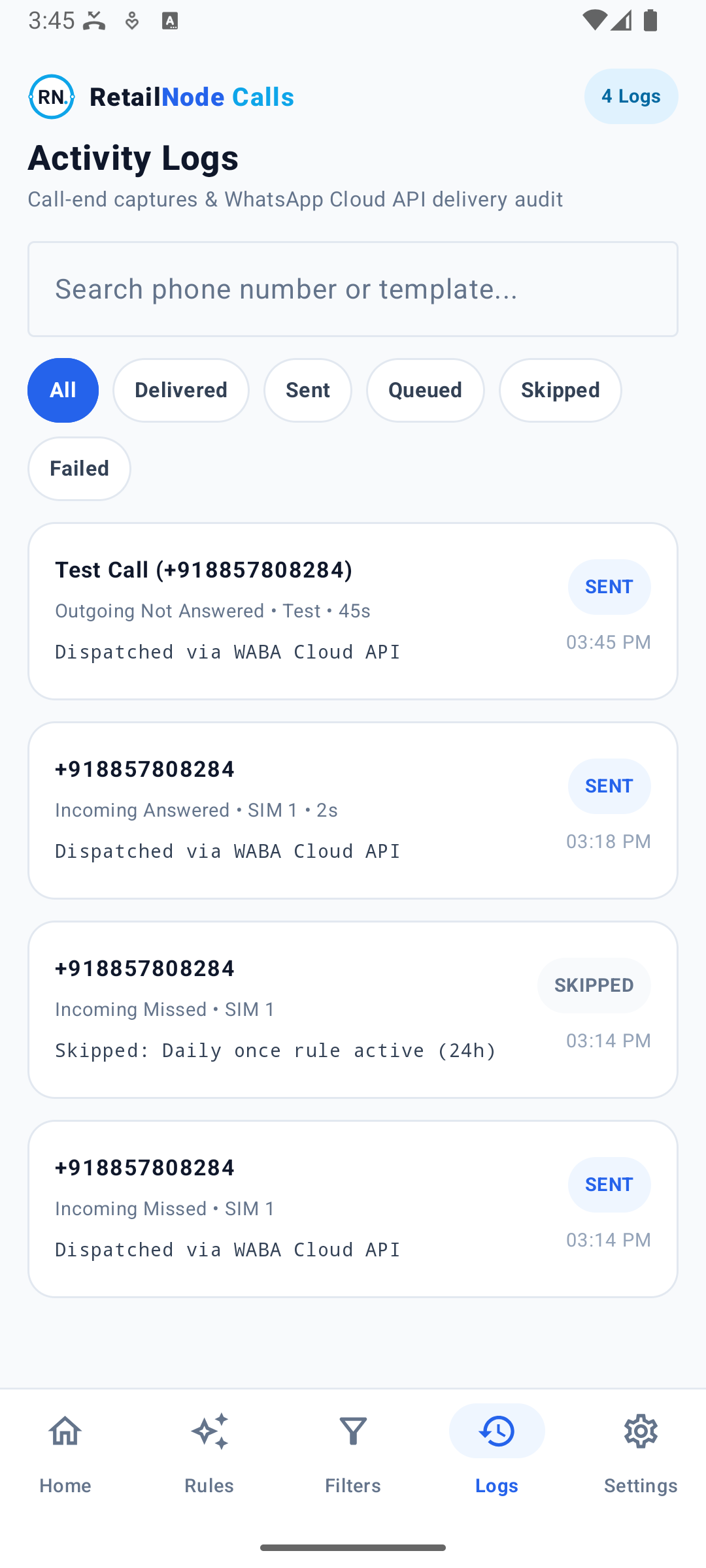
Real-Time Activity Audit
Filter Sent, Delivered, Skipped, and Failed dispatches with one tap.
Frequently Asked Questions
Does RetailNode Calls replace my default Phone dialer?
No. The app uses Android's official Call Screening role alongside real-time call state events so your normal stock dialer and in-call screen never change.
Does the app read my past call history or record call audio?
Never. RetailNode Calls does not request READ_CALL_LOG, never reads historical call logs, and never records phone audio.
Which WhatsApp connection does it use?
It connects directly to your official RetailNode WABA Gateway API Key (https://waba.mpocket.in) using Meta-approved utility and media templates, avoiding personal WhatsApp ban risks.
How do I delete my account and stored call logs?
You can permanently remove your account, API connection, opt-outs, and logs inside the app via Settings → Delete Account or on the web at https://calls.retailnode.in/delete-account.
Official Support, Grievance & Compliance
RetailNode Calls routes all official WhatsApp messages securely over TLS 1.3 via our verified Cloud API gateway. Contact details remain accessible for customer inquiries and Play Console verification.
Office: Malkapur / Karad, Dist. Satara, Maharashtra - 415124, India • Grievance Redressal Officer: Sagar Mohite • Refund Window: 5 to 7 business days.